SNAPSNAPSNAP: OUR NEW IPHONE APP OFFERS PROFESSIONAL-QUALITY PHOTOS
Achieve Professional-Quality Photos With A Tap Of A Finger
We are thrilled to introduce our brand-new iPhone app, SnapSnapSnap. It's specifically designed for shooting real estate and can drastically increase the quality of the photos taken on an iPhone.
It seems that real estate professionals from across the world, no matter their background, are constantly on the lookout for tools and resources that will make their jobs easier, but not cost a fortune or compromise quality.
With this demand for quality that doesn’t break the bank and smartphone camera capabilities improving with every new model, we saw an opportunity to innovate. We have created a powerful app that captures professional-quality photos so that it is easier than ever for real estate pros who DIY their photography to get stunning images.
SnapSnapSnap is the simplest, fastest, and most cost-effective way to achieve professional-quality photos on your iPhone.
In this video, our co-founder Brad will walk you through how SnapSnapSnap works, what you will need to get started, and how to achieve the best results possible on our app.
 |
| Eye-catching dusk skies made simple with SnapSnapSnap – on the app, it’s easy to submit photos for Image Enhancement and Day to Dusk edit, just like the image above. |
New And Improved Experience With Exceptional Results
With SnapSnapSnap all the complex stuff that will make your photos look amazing is hidden behind the scenes. There’s no toying around with settings like you would with a camera, no special skills or knowledge required and no transferring between files or devices. It’s a true point, shoot and send system.
Designed for real estate professionals and property managers who shoot their own photos on an iPhone, Brad said the app is an easy way to dramatically increase the quality of iPhone photos.
“SnapSnapSnap basically turns your iPhone into a professional camera that is tailored to shoot real estate, this is because every time you take a shot it takes seven brackets of different exposures.
“By shooting this way it provides us with all the information we need to blend the brackets together into a stunning-looking image ready for your marketing,” Brad said.
What will you need:
- A BoxBrownie.com account
- An iPhone 7 or above - Brad recommends using an iPhone 11 or later, thanks to the wide-angle lens
- A tripod to keep your phone nice and steady
- A phone clamp to hold your phone on the tripod
Once you take your photos, you have the choice to apply our Image Enhancement, Item Removal, Virtual Staging or Day to Dusk edit, or even a combination of the edits. Your photos will be sent to our worldwide editing team, so they can work their magic to create images that are set to impress.
 |
| These two photos were taken on SnapSnapSnap and submitted for Image Enhancement and then Virtually Staged in two different styles – Contemporary (top) and Hamptons style (bottom). |
Point, Shoot And Send
Level up your marketing game and try out SnapSnapSnap and see how simple it is. The best thing is, it’s free to download! Click here to download it from the App Store, and you will be well on your way to achieving professional-quality photos, minus the time and expensive equipment.
RELATED ARTICLES
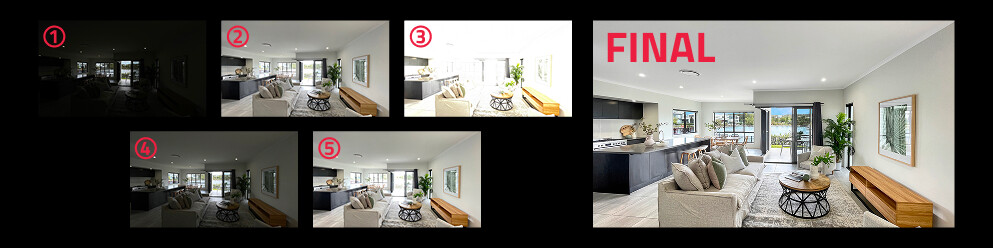
Confused by HDR? Discover what it is, why it can dramatically improve your property photos, and how we make creating stunning, balanced images effortless.
READ MORE
Create professional property listings affordably with high-quality photos, aerial images, virtual tours, and floor plans — all achievable for under $65!
READ MORE
Our co-founder and professional photographer Brad Filliponi will answer all your photography questions. Discover expert tips, tricks, and techniques to enhance your real estate photography skills and capture stunning images.
READ MORE
Big news from BoxBrownie.com! We have released a new app, providing real estate professionals with the powerful capability of taking professional-quality real estate photos on an iPhone.
READ MORE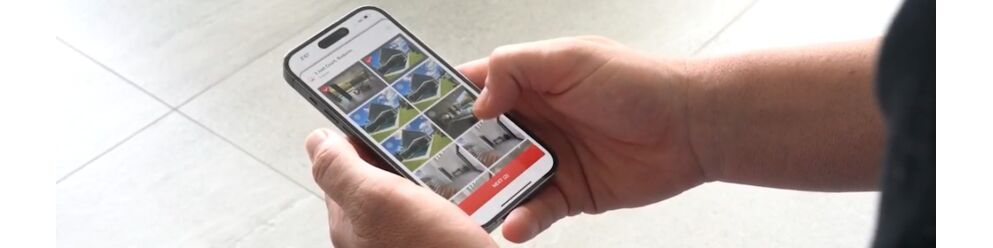
Are you a real estate professional who shoots your own property listing photos? Then we have big news for you, we have developed a photo app that is not only going to transform your property marketing but transform the way you work.
READ MORE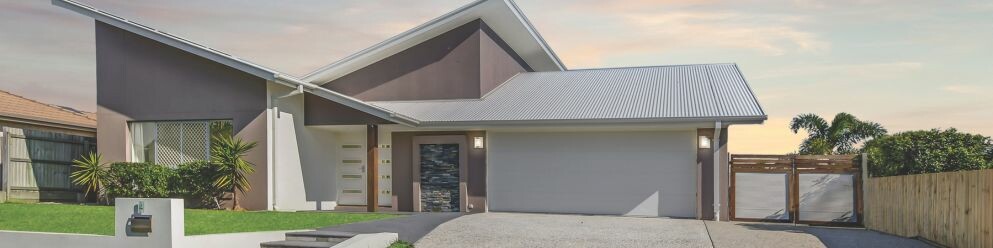
Pre-market listings on platforms like Zillow present a powerful opportunity to drive early buyer interest, generate competitive bids, and secure higher sale prices. SnapSnapSnap is key to easily achieving this with your phone – find out how this app fuels faster sales!
READ MORE